


When trying to access MySQL from cPanel externally, many people get a connection error message because they don’t know that it’s necessary to enable the connection for the IP or domain they’re accessing. In this post we’ll show you how to enable remote access to MySQL from cPanel.
First, go to the cPanel panel and click on “Remote MySQL” in the “Databases” field.

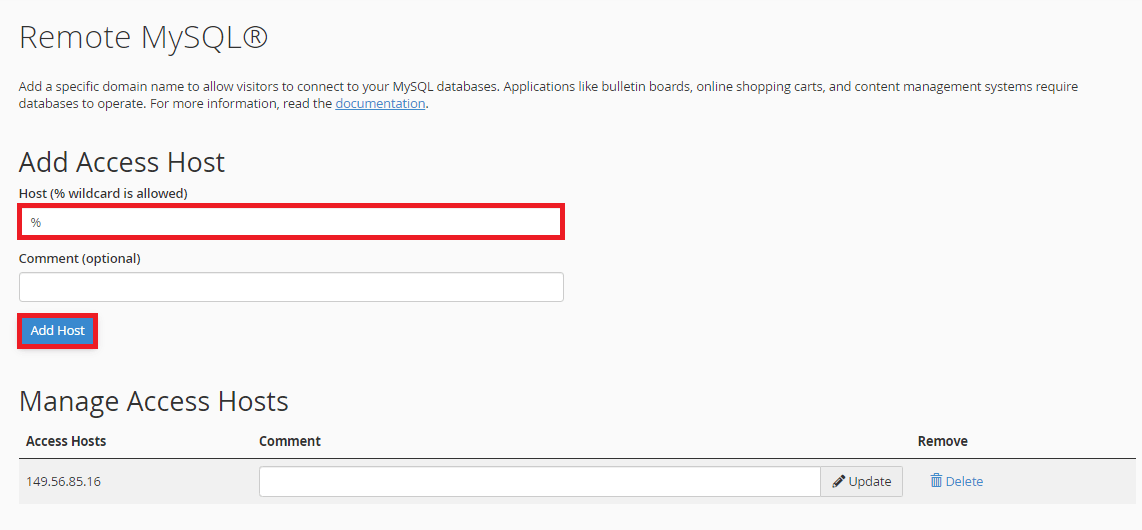
Now enter an IP or domain in the “Host” field to allow access only to that address or enter the “%” character to allow access to all IPs, then click on “Add Host”.
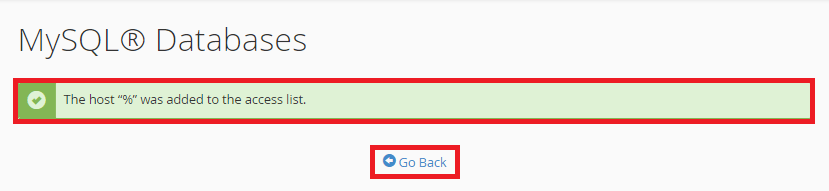
It will then inform you that the host you entered has been added to the access list and click on “Go Back”.
That’s it, now we can see the host we entered in the access list.

Master da Web, your Cloud solution! ☁️
Tags#cpanel#mysql#Remote access