


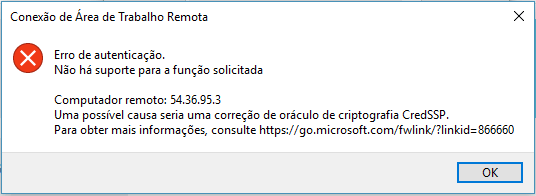
After a Microsoft update, many Windows administrators were horrified by the message:
Authentication error.
There is no support for the requested function
One possible cause could be a fix for the CredSSP encryption oracle.
This error is caused by patches released by Microsoft to correct a vulnerability in Windows systems. There are several solutions to this problem, one of which is to keep the remote and local servers up to date with all the security patches.
In this article we’ll look at a quicker and simpler solution.
How to solve the CredSSP encryption error?
To solve this, simply download the file below, which will update your Windows registry so that it will allow authentication, even with the security patches released by Microsoft:
Unzip the .zip file above, then run the unzipped file.
That’s it! Now you can make the remote connection.