


Introduction
The release of Ubuntu 25 (version 25.04, codename Plucky Puffin) marks another step in Canonical’s semi-annual cycle of delivering innovations and improvements — especially for desktop users, developers, and hybrid environments. Although not an LTS version, it brings kernel updates, installer refinements, new packages, and advancements in the software ecosystem that deserve attention.
In this post, we explore the main new features of Ubuntu 25, compare it with previous versions, assess whether it’s worth migrating to it, and show you how you can get servers compatible with this version for production, testing, or continuous use.
What is Ubuntu Server?
Ubuntu Server is the Ubuntu edition designed exclusively for servers, data centers, and cloud environments.
It provides a stable, secure, and highly customizable base for hosting websites, applications, databases, containers, and network services.
Unlike the desktop version, Ubuntu Server doesn’t come with a graphical interface by default — which ensures better performance, lower resource consumption, and greater administrative control via terminal (CLI).
Additionally, it features Ubuntu Pro, Canonical’s program that extends security and compliance support for up to 10 years, making the system a solid choice for companies seeking long-term stability.
Ubuntu Server is also widely compatible with modern technologies such as Docker, Kubernetes, OpenStack, and Ansible, facilitating its integration into DevOps architectures and virtualization environments.
Main Changes in Version 25.04 (“Plucky Puffin”)
Linux Kernel 6.14 and Performance Improvements
The new Linux kernel 6.14 brings extended support for AMD, Intel, and ARM processors.
This kernel version also enhances energy efficiency, memory management, and task scheduling on multi-core systems — essential for servers and virtualization environments.
Enhanced Security and Stability
Ubuntu 25 reinforces its focus on security with:
- New AppArmor profiles, enhancing process isolation.
- Enhanced sandboxing protections (via Bubblewrap).
- Support for confidential computing on AMD processors.
- Kernel and essential library fixes focused on vulnerability mitigation (Spectre, Meltdown, and others).
These updates increase system reliability, especially in environments with multiple users and servers exposed to the internet.
Developer Resources
For those using Ubuntu as a development environment, the new version comes with:
- DevPacks — an optimized format of Snap packages aimed at development frameworks and stacks.
- Updated versions of GCC, Rust, Go, Python, and Node.js.
- Better integration with systemd-homed, allowing for portable and more secure user profiles.
- Better container support with Docker, LXD, and Podman.
These improvements make Ubuntu 25 an even more attractive environment for programmers and infrastructure administrators.
Is it Worth Upgrading?
It depends on your scenario.
Ubuntu 25.04 is ideal for those who want to test the latest technologies, such as kernel 6.14 and the new security stack. It’s great for development, testing, and hybrid cloud environments.
On the other hand, if you’re looking for maximum stability in production, it’s more recommended to stay on Ubuntu 24.04 LTS, which has extended support until 2034 and receives only security and maintenance updates.
Onde hospedar seu servidor Ubuntu 25.04 Conheça a Master da Web
Para quem deseja hospedar VPS ou servidores dedicados com o Ubuntu 25.04, a Master da Web se destaca como uma das melhores opções do mercado.
Why choose Master da Web?
- State-of-the-art infrastructure: The Master Web datacenter uses high-performance servers with NVMe storage, ensuring speed and stability in all VPS instances.
- Advanced security: Protection against DDoS, automatic backups, and continuous monitoring.
- Specialized technical support: The web master has a fully specialized team available from 08:00 to 17:00 via WhatsApp and phone, and 24/7 via ticket.
- Flexible plans: VPS plans are adaptable to your needs, from small projects to large corporate solutions.
- Trial period: 7-day trial period for VPS 1 and 2 Linux and 2 and 3 Windows, to test if the VPS meets your needs or has the necessary configurations.
How to Purchase a VPS (Virtual Private Server) from Master Da Web
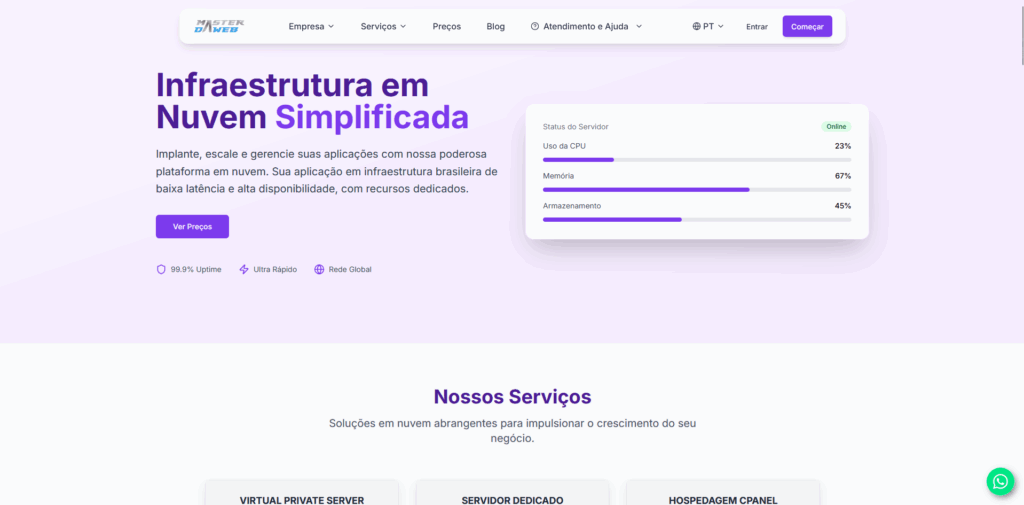
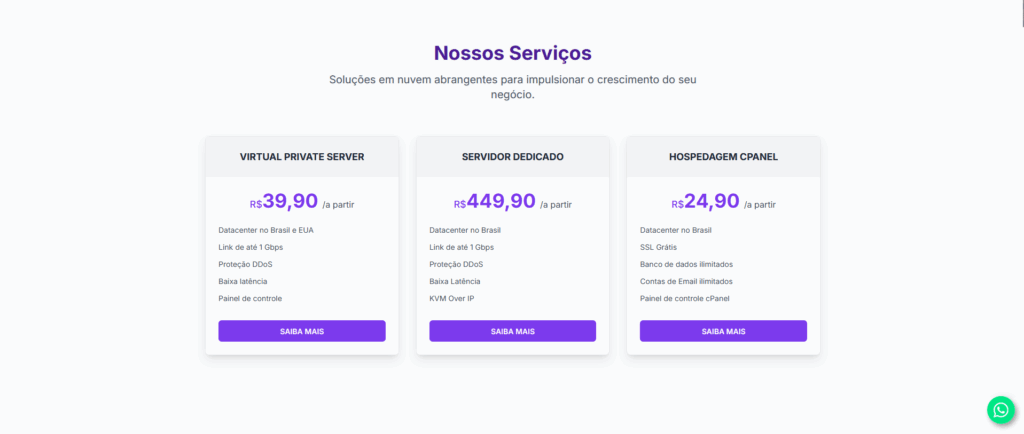
Step 1: Visit the official Master da Web site at masterdaweb.com. Upon entering the homepage, scroll down until you find the “VPS (Virtual Private Server)” card. When you find it, click on “Learn More” to be directed to the specific VPS servers page.
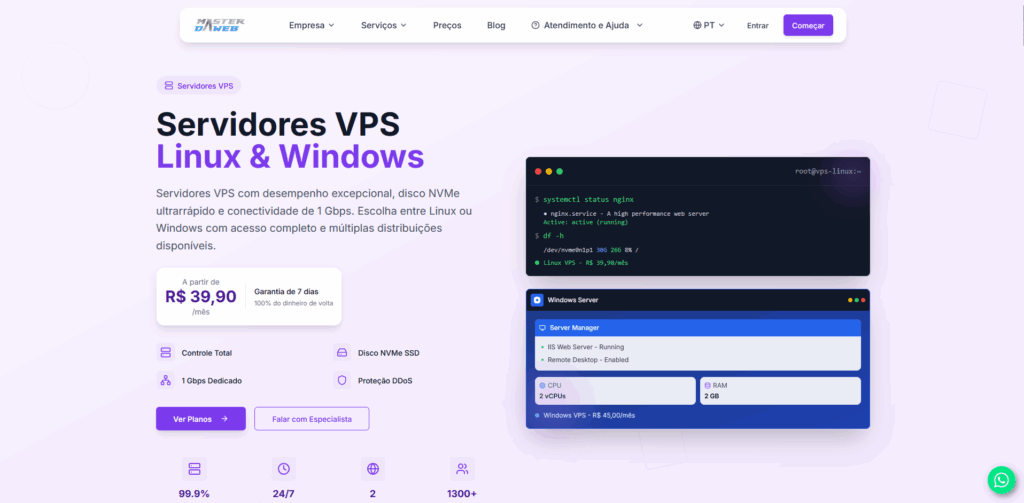
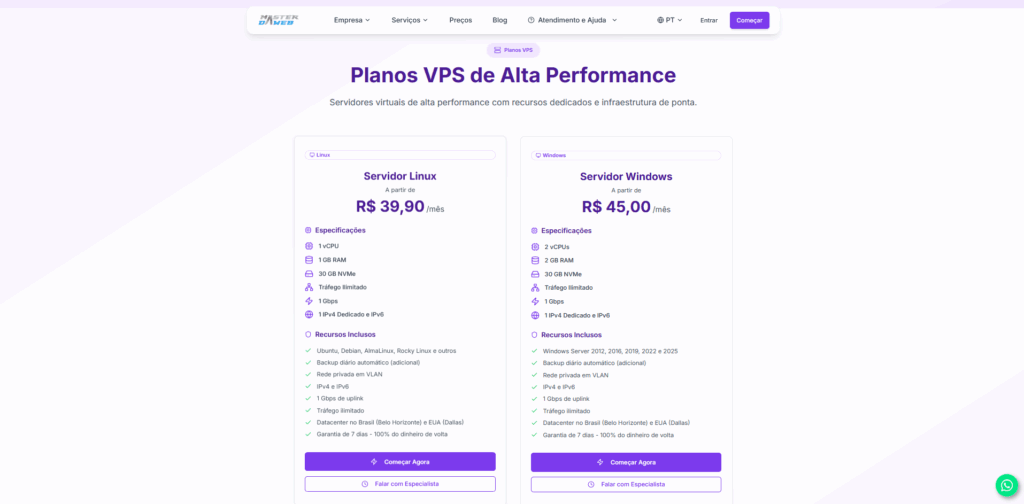
Step 2: On the VPS page, click on “View Plans”. You will be automatically redirected to the plans section. On the “VPS Linux” card, click on “Start Now”.
Step 3: On the subscription page, choose the desired datacenter. Then, select the “VPS Linux” category.
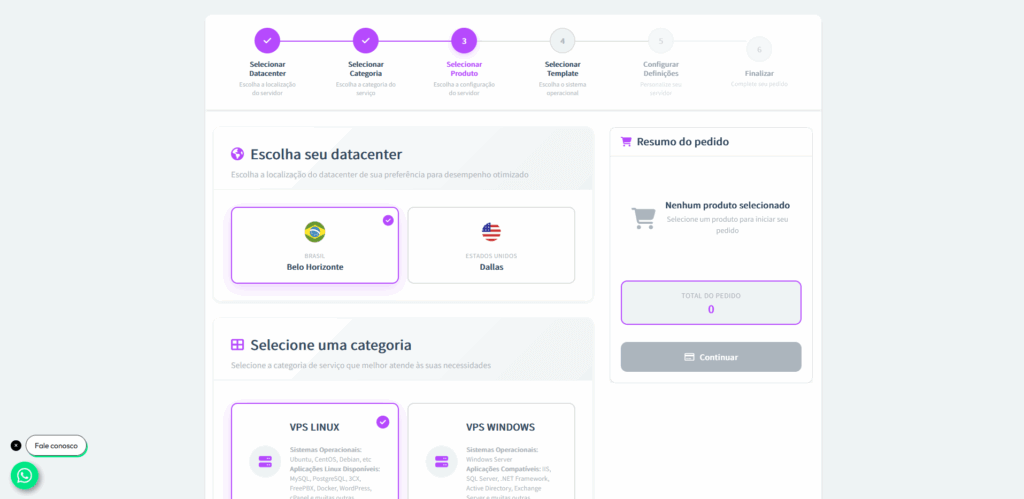
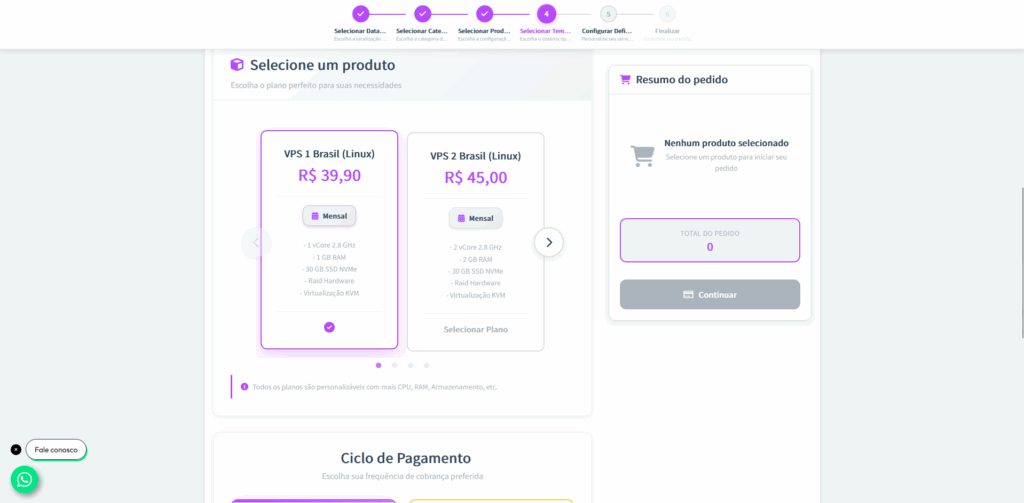
Step 4: Now, choose the VPS type that best meets your needs. Then, select the payment cycle (monthly, quarterly, semi-annual, or annual).
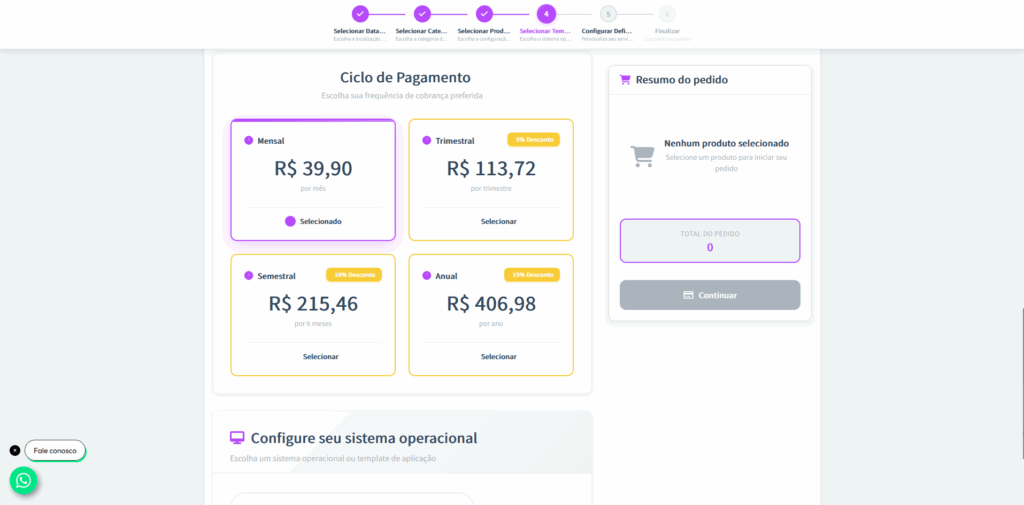
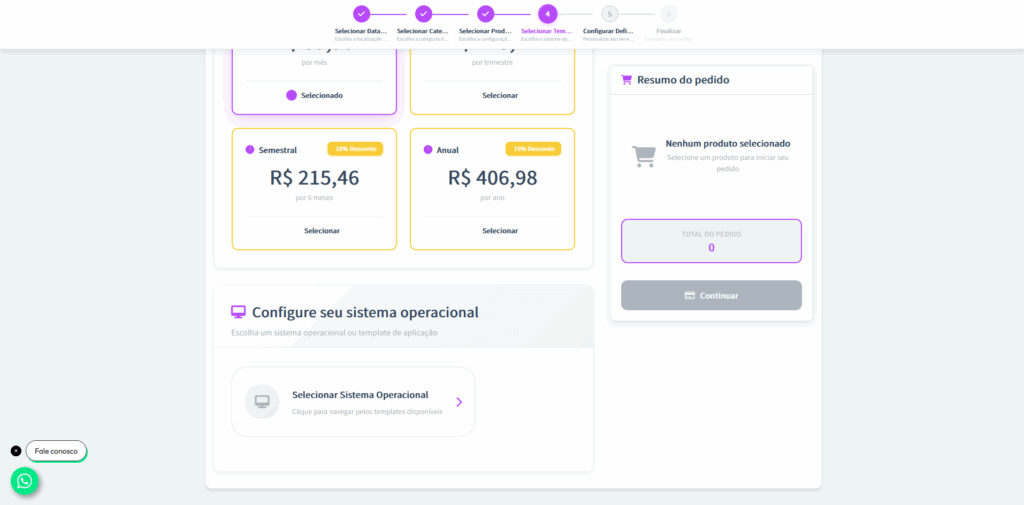
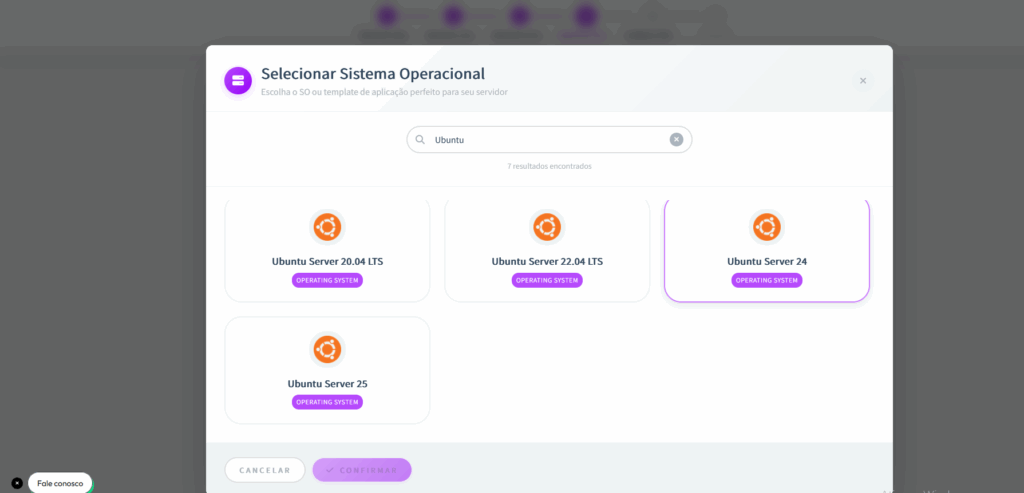
Step 5: Next, define the operating system for your VPS.
In our case, select Ubuntu 25.04 by clicking on “Select Operating System” and choosing this version from the list.
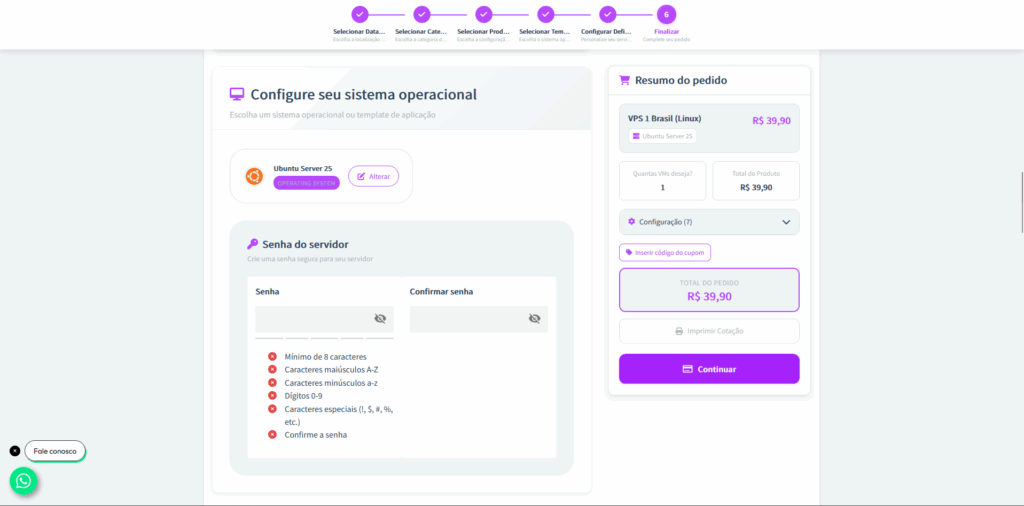
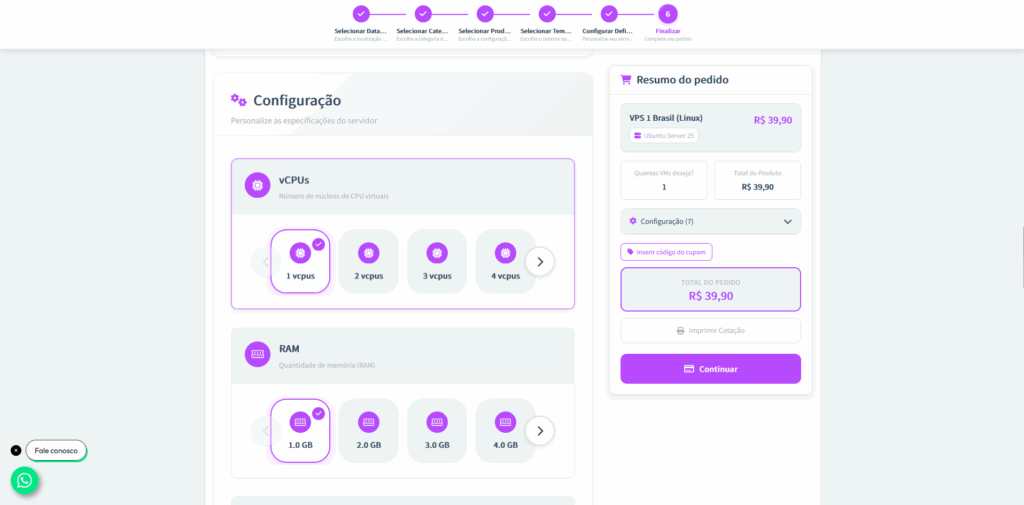
Step 6: Create an access password for your VPS. Right after, you can customize the specifications of the server, adjusting resources such as vCPUs, RAM memory, storage, and other configurations according to your needs.
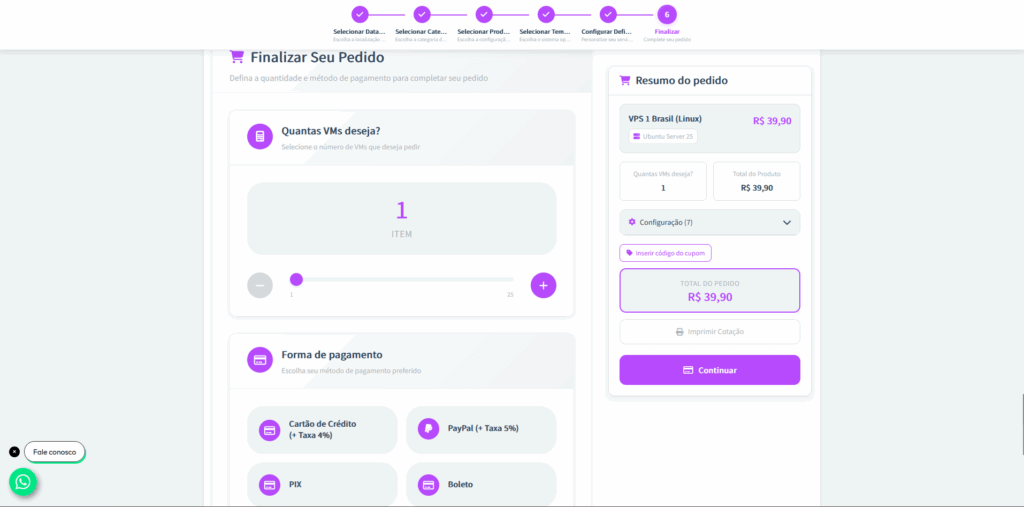
Step 7: After customization, choose how many VMs (Virtual Machines) you want to purchase and define the payment method.
Step 8: If during the contracting process you were assisted by a Master da Web consultant, select them in the option “Which consultant assisted you with this purchase?”.
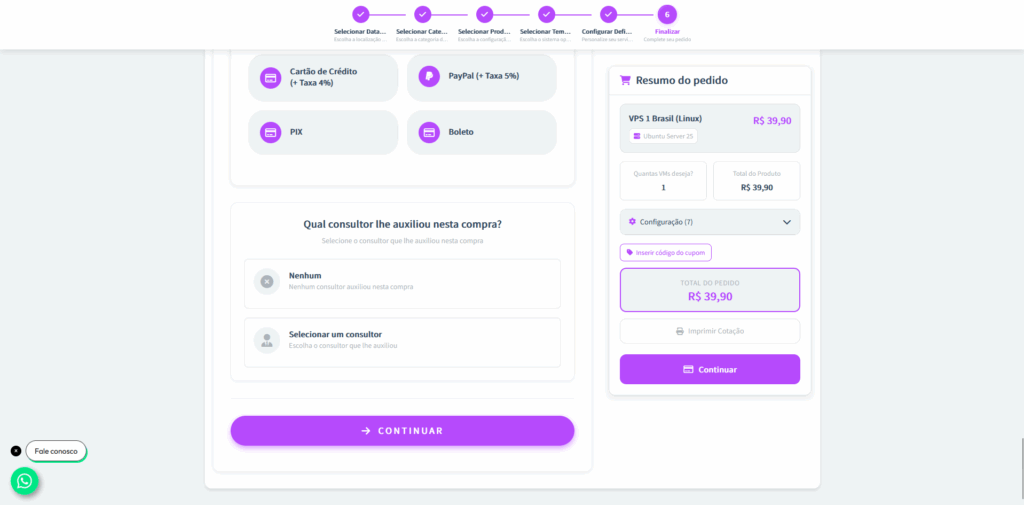
Step 9: After the payment is acknowledged, the VPS will enter the configuration and production process. As soon as it’s ready, you’ll receive a
Conclusion
Ubuntu 25.04 “Plucky Puffin” is a solid release, focusing on modernization and usability.
It features a more efficient kernel, polished GNOME 48 interface, improved installer, new security features, and extended support for cutting-edge hardware — all while maintaining the lightness and flexibility that have made Ubuntu a reference in the Linux world.
For those who want the best performance in cloud, development, or modern desktop environments, this version is an excellent choice.